


If you’ve ever created a poster, presentation, or Instagram post, you’ve definitely used Canva. It’s one of the world’s most popular design tools. We know free version is helpful, but the Pro version offers much more.
From premium templates and stock photos to Brand Kits, Canva Pro saves you time and gives your designs a professional look. But there’s one problem; not everyone can afford it.
That’s why many graphic designers and creators are turning to Canva Pro Group Buy. But, one thing to keep in mind; is it safe? And is it really useful in 2025?
Let’s find out!
It is a Smart Sharing Trick!
Suppose you and your friends want to take an academic course that is very expensive. If each person purchased a separate course, everyone would be out of pocket. If one person buys the course and the rest pay them, then everyone gets the same premium content and just at a slightly cheaper price.
Purchasing a Canva Pro Group Buy is similar. You buy a subscription and access to it is shared with the group. In this way, everyone can get the Pro features—templates, stock photos, background remover—but at a much lower price.
Sounds like a smart trick, right? But, one thing to remember; every shortcut has its pros and cons, this one also has some side effects that you should be aware of.
Keep Reading!
Canva Free vs Canva Pro: What’s the Difference?
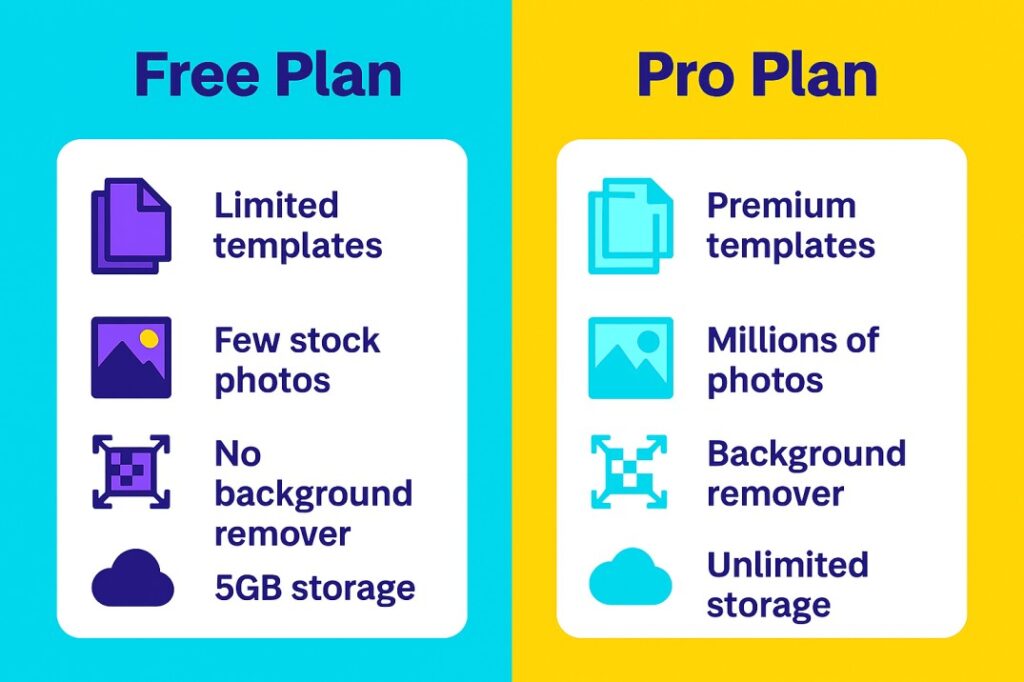
If you’re wondering why people want Pro when Free is available, here’s a quick comparison.
Templates
- Free: Limited options
- Pro: 600,000+ premium templates
Photos & Elements
- Free: Few stock photos
- Pro: 100+ million premium photos, videos and graphics
Background Remover
- Free: Not available
- Pro: Removes backgrounds in one click
Brand Kit
- Free: Limited fonts and colors
- Pro: Upload your own logo, fonts, and brand colors
Magic Resize
- Free: Manual resizing
- Pro: Resize designs instantly for Instagram, Facebook, LinkedIn, and more
Cloud Storage
- Free: 5GB
- Pro: Unlimited
Collaboration
- Free: Basic sharing
- Pro: Real-time teamwork & commenting
In Free Canva: You create a post for Instagram. Then, manually adjust the same design for Facebook, LinkedIn, and Twitter. Finding high-quality photos is also difficult.
In Canva Pro: You design once, click Magic Resize and instantly get versions for all platforms. You can use unique premium photos, remove product backgrounds in just one click as well as keep client branding consistent with Brand Kit.
Why Affordable Canva preferred in India?
We all know that there’s always a demand for cheap or affordable things in India. If we talk about Canva Pro’s official price, the cost is ₹499 per month or ₹3,999 annually seems quite high for students, freelancers and small businesses. So, Canva Pro group buy have become so popular:
- Students can Buy Canva Cheap for school projects as well as portfolios.
- Freelancers can use it to create client logos, presentations, social media posts and many more ways.
- Small businesses create their own marketing materials without hiring a designer.
- In short, everyone shares the cost and can easily use Canva at reasonable tool.
Canva Pro Official Price vs Canva Pro Group Buy Price
When it comes to costs, single users suffer the most. Take a look at these plans:
- Canva Pro Individual Plan: If you’re a single user, you have to pay ₹499 per month. Very expensive!
- Canva Team Plan (Official): Even if you have a small team, you still have to make a commitment of ₹999/month.
- One Member in a Group Buy: Here, your annual cost is only ₹200-₹500!
This 80-90% savings would be tempting! Why would any student or freelancer spend so much money alone? That’s why Canva Pro Group Buy has gained so much popularity.
But remember, if it’s available so economically, something must be wrong!
Now, let’s find out the hidden risk behind it.
The Risks of Group Buying That Can’t Be Ignored
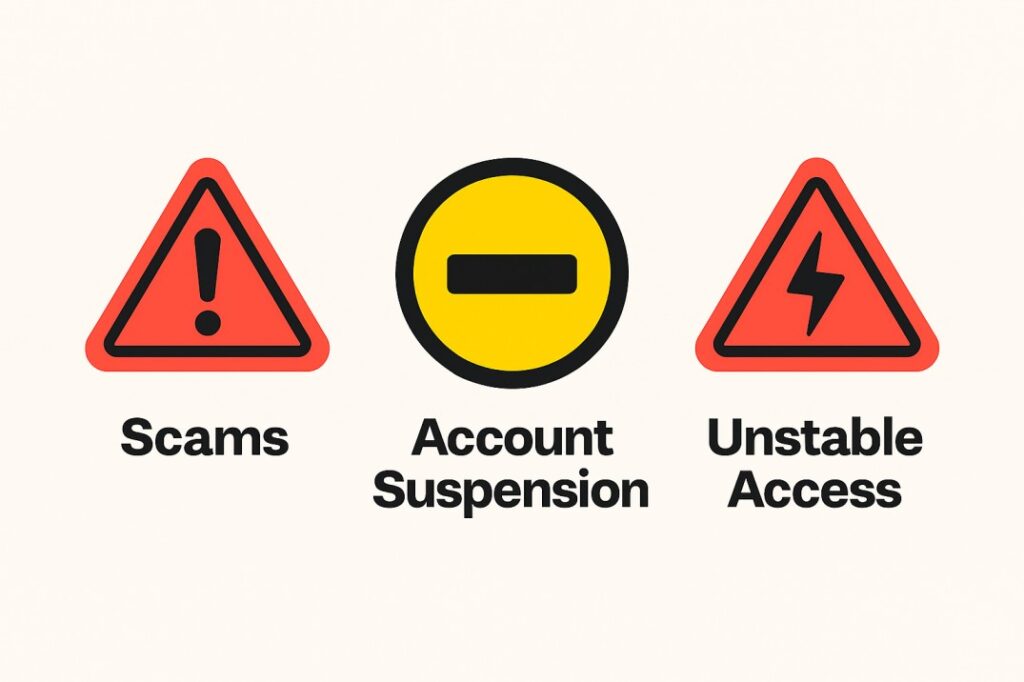
While Group Buying may sound like a great idea, it comes with some serious risks that could cause significant losses. Be sure to know these before buying cheap things:
Also Read: Group Buy SEO Tools (2025 Guide): Are They Safe or Not?
Scams and Fake Deals
Actually, you’ll find people online who say, “Get lifetime access to Canva Pro for just ₹99!” You know, these are all lies. Most of the time, these are scams. You pay the money, and then suddenly, a few days later, your access is cut off. You’re out of money and out of the tool.
Account Suspension Risk
Actually: Canva’s policy clearly states that if you purchase an account outside of their official website, they can suspend your account at any time. Imagine, if your account is out of order, all your designs you’ve worked so hard to create will disappear in an instant!
Access can be stopped at any time (unstable access)
Actually: if you are not an official customer, your access is in the hands of the admin. If the admin changes his mind or changes the team settings, he/she can remove you from the group without informing you. Your access will be stopped and half your work will be lost.
Not all Group Buy canva tools are certainly fake or fraudulent. If done correctly, they can be quite safe.
The Right Way to a Safe Canva Pro Group Buy
When Group Buys are run within the official rules, both your money and data are protected:
Admin Purchases Official Plan: First, the person running the Group Buy (Admin) purchases Canva’s official Team Plan. This plan allows up to 5 people to be officially added to a team.
Official Invitation is sent: The admin sends you an invite directly from Canva’s ‘Team Invite Feature’. This feature is designed by the company itself for teamwork.
Use your personal ID: You don’t have to share your password with anyone. You get full Canva Pro access through your own email ID. Your account remains separate.
Everyone contributes:
When 5 team members pay ₹999/month (the official price of the Team Plan), the cost is shared equally.
In this way, Group Buy uses Canva’s official features. In this, the risk of account ban or security risk is reduced considerably.
Best Features of Canva Pro That Save Time
If you’re still in confusion whether you should get Canva Pro, check out its top features. These features will save you so much time that you’ll say, “Too good!”
Magic Resize: Just one click, and your design is instantly ready to be resized for Instagram, Facebook, and every other platform! (Enough manual work.)
Background Remover: No matter what photo, the background is removed in a clean, professional way in a second. (Stop the stress of photo editing.)
Premium Content: Access a repository of millions of amazing stock photos, videos, and graphics. (Now stand out from the crowd of ‘free photos’!)
Brand Kit: Set your logo & colors and your brand consistency will be maintained in each and every design.
Content Planner: Schedule your posts to social media platforms – Instagram, Facebook and LinkedIn directly from Canva.
Unlimited Storage: All your projects, templates and photos will be safe. No more worrying about your storage getting full.
Ultimately, these tools save you both effort & time; so the Group Buy option is so useful for busy creators!
Canva Pro Group Buy vs Alternatives
| Tool / Option | Price (India) | Best For |
| Canva Pro Group Buy | ₹200 – ₹500/year (unofficial groups) | Students, freelancers, small teams |
| Canva Pro (Official) | ₹499/month or ₹3,999/year | Professionals, agencies |
| Free Canva | Free | Beginners, casual users |
| Adobe Express | ~₹800–₹1000/month | Advanced creators, professionals |
| Figma (Free/Pro) | Free basic / Paid Pro ₹750–₹900 per month | UI/UX designers, teams |
| Photoshop | ₹1,675/month (single app plan) | Professional photo editors |
Final Outcome
Should You Buy Canva Cheap Through Group Buy?
The simple and honest conclusion:
If you want absolute peace of mind (the safest option), the official Canva subscription is the best option. Your hard work and designs will always be protected.
If your budget is very tight (the cheapest option), the Canva Pro Group Buy can save you 80 to 90% of your money. But, only try this if you’re completely confident it’s being managed correctly through a team plan.
And most importantly: don’t buy ‘lifetime Canva’ deals! They’re a scam.
In the end, if you need design in your work or studies, Canva Pro is definitely worth it. You just need to choose your purchasing method wisely.
FAQs
Can I use Canva Pro Group Buy on multiple devices?
Yes, Canva Pro works easily on laptops, phones & tablets and designs are automatically synced to the cloud.
Is the Canva Free version best for new beginners?
Yes, the Canva free version is the best for beginners as it offers basic templates & tools for creating simple designs.
Does Canva Pro work offline?
No, Canva is an online tool; but, some features in the mobile app are available in limited offline mode.
Is Canva Pro Group Buy India legal?
It’s a bit of a gray area; it’s only safe if the admin uses the Canva Team Plan, otherwise the risk is higher.


